CHROME BOOKMARKS
Chromebook Bookmarks: How to Add, Find, Organize and Back Them Up
Complete guide to Chrome bookmarks on a Chromebook — adding, searching, organizing into folders, exporting as a backup, and recovering dead links.
Guides to Chrome bookmarks, tabs and link rot, how web archives work, and honest comparisons of the tools people use to save the web.
Complete guide to Chrome bookmarks on a Chromebook — adding, searching, organizing into folders, exporting as a backup, and recovering dead links.
Exact steps to clear cache in Chrome on Windows, Mac, Android, and iPhone — plus what clearing cache does and does not affect, including your bookmarks.
Reopen a tab you just closed with Ctrl+Shift+T, right-click the tab strip, or the History page — and what to do after a crash.
Show or hide Chrome's bookmarks bar using a keyboard shortcut, the menu, or settings — covers Windows, Mac, Chromebook, and mobile.
Step-by-step guide to exporting Chrome bookmarks as a bookmarks.html file on desktop, plus what backup actually means for your saved links.
Chrome freezing or hanging? 11 proven fixes — from Chrome's built-in Task Manager to disabling hardware acceleration, clearing cache, and checking for malware.
Three ways to hide Chrome's bookmarks bar — keyboard shortcut, Settings menu, and the 'Only on New Tab' middle-ground option explained.
Every method to delete bookmarks in Chrome on Windows, Mac, and Linux — from a single click to bulk-deleting hundreds at once.
How to delete bookmarks on a Chromebook using Chrome's address bar, bookmarks bar, and Bookmark Manager — with touchpad and touchscreen tips.
Step-by-step instructions to delete bookmarks in Chrome, Safari, Edge, and Firefox — including bulk deletion and finding duplicates you no longer need.
Four ways to restore Chrome bookmarks: sync re-login, HTML import, Bookmarks.bak file, and what to do when none of them apply.
How to reopen closed tabs and restore your Chrome session after a restart, crash, or accidental close — keyboard shortcuts, settings, and history tricks.
Set up Chrome kiosk mode with the --kiosk command-line flag on Windows, Mac, and Linux, or via the Admin console on ChromeOS.
Mozilla shut down Pocket in 2025. Here are the best iPhone replacements for saving and reading articles, including what works with existing bookmarks.

Mozilla shut down Pocket on July 8 2025. The Chrome extension no longer works. Here are the best one-click save alternatives for Chrome.
Mozilla shut down Pocket in 2025. Here's what happened, how to recover your saved articles, and the best read-it-later alternatives available now.
A practical roundup of the best Chrome extensions for productivity in 2026 — covering ad blocking, password management, writing, tab control, and bookmarks.
Step-by-step instructions for moving bookmarks to Chrome from Safari, Firefox, Edge, or another Chrome install — including cross-device transfers.
Honest roundup of web archive alternatives: archive.today, Bing cache (gone), Google cache (gone), Webrecorder/Browsertrix, and browser save-as.
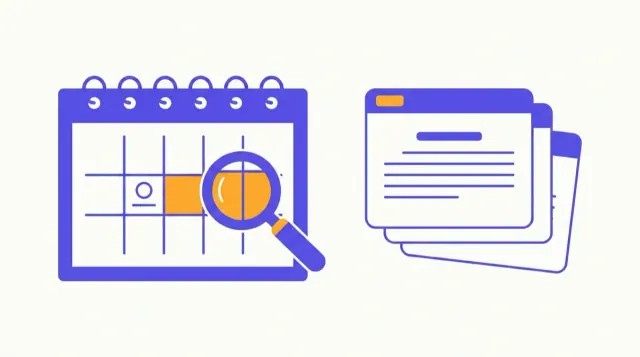
A complete guide to navigating web.archive.org: calendar view, snapshot density, Save Page Now, API lookups, and known limitations.
How to use the Wayback Machine and other tools to find archived versions of websites, pages, and articles that have gone offline or changed.
Chrome white screen is usually a GPU, extension, or corrupted profile issue. Here are 8 fixes from fastest to most thorough.